
Tap Check
 Figma Community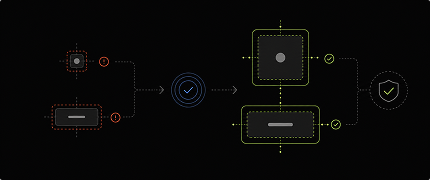
Accessibility Validation Engine
A Figma plugin that validates touch targets and interaction affordances before developer handoff.
What's the problem
Interactive components often appear visually correct while failing usability and accessibility standards due to:
- Small touch targets
- Inconsistent clickable areas
- Missing interaction affordances
- Compressed spacing around actions
These issues are difficult to catch manually across large design systems and product flows.
What this plugin does
Scans selected frames and components to identify layers that fail recommended touch target and interaction standards.
The plugin highlights problematic areas and suggests actionable fixes directly inside Figma.
Key capabilities
- Detects small touch targets
- Identifies inaccessible clickable areas
- Validates interaction affordances
- Highlights problematic components visually
- Suggests touch-area improvements
- Supports scalable accessibility reviews
What changes
Before
- Manual QA workflows
- Inconsistent clickable areas
- Hidden interaction issues
- Difficult accessibility reviews
After
- Automated validation workflows
- Visible interaction issues
- Accessibility-aware components
- Developer-ready handoff
Output
Validation workflows that help teams create interfaces that are:
- Accessibility-aware
- Easier to interact with
- Visually consistent
- Ready for implementation
The plugin surfaces actionable fixes for improving touch targets and interaction usability.
Why it matters
Improves interaction quality before implementation by catching usability and accessibility issues early in the workflow.